DASHBOARD POS
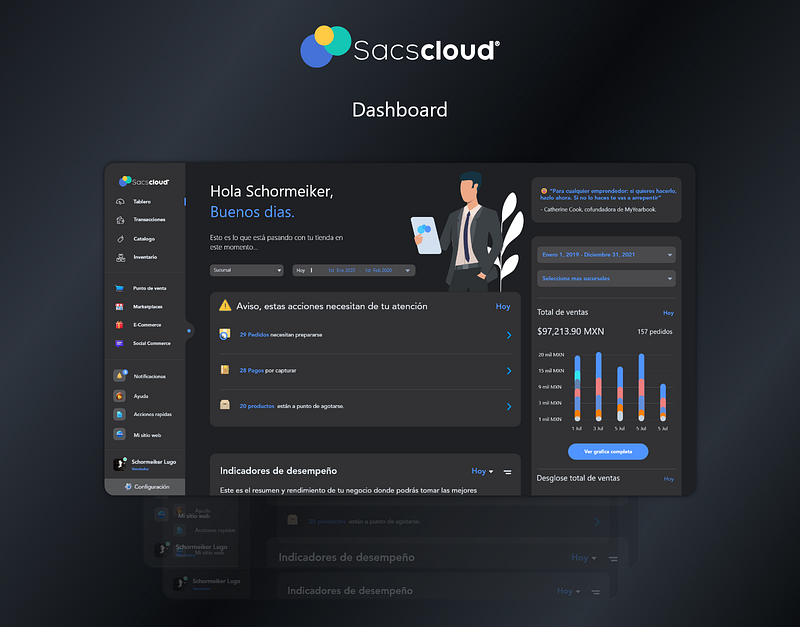
Dashboard POS is a retail point-of-sale system that unifies checkout operations, inventory management, and report generation in a single interface. The design is optimized for two opposite usage contexts: the extreme speed demanded by the checkout line during peak hours and the detailed analysis the administrator needs at end of day. Its approach eliminates the need to switch between separate systems that historically produced desynchronized data.
Design — Dashboard
The dashboard unifies two operation modes: cashier mode presents a simplified interface with large buttons and a 3-step checkout flow, while admin mode offers complete inventory management, reports, and analytics. Predictive product search locates any catalog item with 2 or 3 characters. Keyboard shortcuts cover the 10 most frequent operations, and the system updates inventory in real time with each registered sale.
Discovery
Brief · Stakeholders · Goals
Research
Benchmark · Users · Competition
UX Architecture
User Flows · Wireframes · IA
Visual Design
Tokens · Layout · Components